
Chain steps
Protocol steps
Section titled “Protocol steps”Protocol steps (HTTP, SMTP, IMAP, LDAP, DNS, SpamAssassin, Kerberos, SMB, MySQL, MongoDB, PostgreSQL, SQL Server, Redis, FTP, Freestyle) are added by picking an existing probe from the probe picker dialog.
After selecting a probe, the step is either linked to that probe or holds a copy of its configuration, described under Linked and copied steps below. The step name defaults to ProjectName / ProbeName, and the original probe is not modified either way.
Each step can have extractors attached. See Extractors.
Step order
Section titled “Step order”Steps run from the top of the list, one after another, and the number beside each step is the position it will run in.
Move a step with the up and down buttons in its header.
Ordering applies to top-level steps. A step inside an ITERATE, CONDITION or PARALLEL block has no position of its own: a parallel block starts all of its children at once, a condition runs one branch or neither of them, and an iteration runs each child once per item.
Linked and copied steps
Section titled “Linked and copied steps”A step added from a probe is either linked to that probe or a copy of it, and the chip in the step header says which.
A linked step runs the probe’s latest saved version, so editing the probe reaches every chain that links to it. Edits made in the step itself are ignored when it runs.
A copy is a snapshot taken when the step was added. Edit it inside the chain without touching the probe.
The chip opens a menu to move between the two. Detach to copy turns a linked step into an editable copy, Convert to link goes the other way, and Sync from original refreshes a copy from the probe as it stands now. This is available on every step built from a probe, including one nested inside a container.
ITERATE
Section titled “ITERATE”ITERATE is a container step that executes its child steps once for each item in a list. It supports two payload sources, optional rate control, and configurable stop conditions.
Static list
Section titled “Static list”Define the values directly in the step editor, one value per line. This is the most common mode when the list is known upfront.
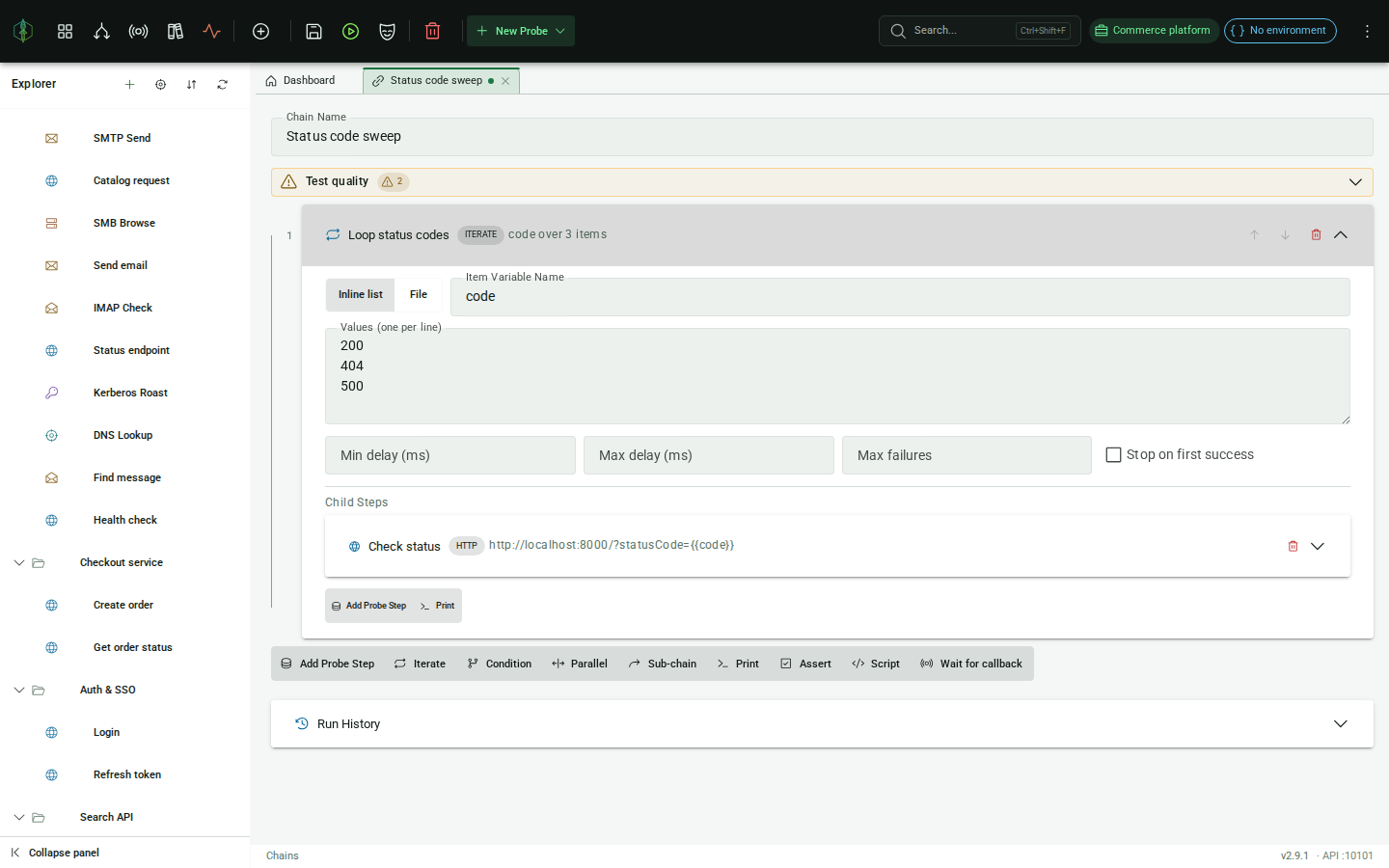
Read items from a text file on the server’s filesystem. Each non-blank line becomes one iteration item. Useful for large wordlists or credential files that would be impractical to paste inline.
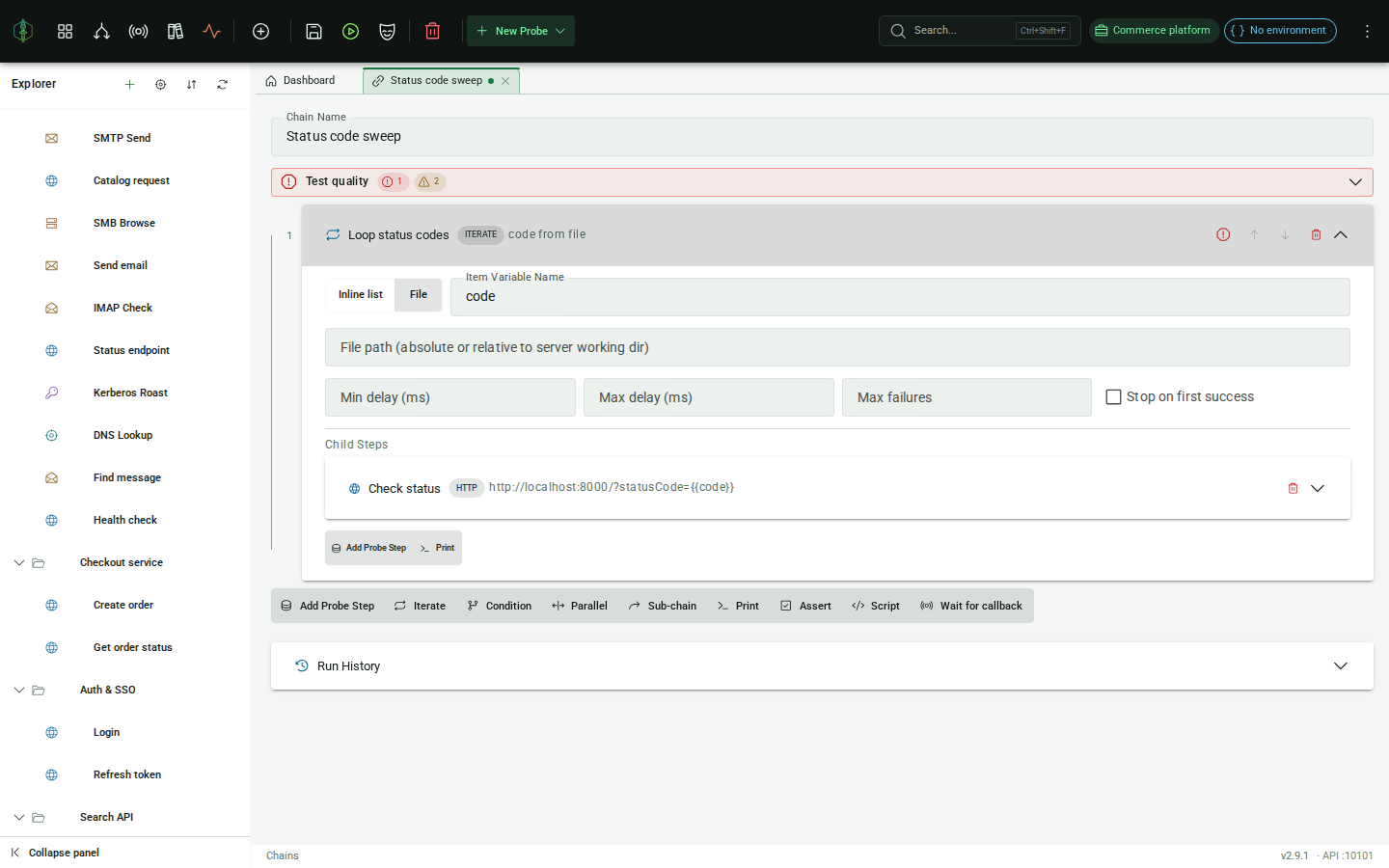
The path is resolved relative to the server’s working directory, or you can use an absolute path.
Configuration
Section titled “Configuration”| Field | Description |
|---|---|
| Source | Inline list or File |
| Item variable name | The variable name injected for each item inside child steps |
| Values | (Inline only) Items to iterate, one per line |
| File path | (File only) Absolute or relative path to the wordlist on the server |
| Min delay (ms) | Minimum pause between iterations. 0 = no delay |
| Max delay (ms) | Maximum pause between iterations, randomized between min and max |
| Max failures | Stop after this many failed iterations. Leave blank for unlimited |
| Stop on first success | When enabled, the loop continues past failed iterations and stops as soon as one iteration’s child steps all pass. The overall step result is success if a match is found, failure if the list is exhausted |
The current item is injected as {{yourItemVarName}} into all child steps. Variables produced by child steps accumulate in the shared context; after the loop finishes, the last iteration’s values are visible to subsequent steps.
CONDITION
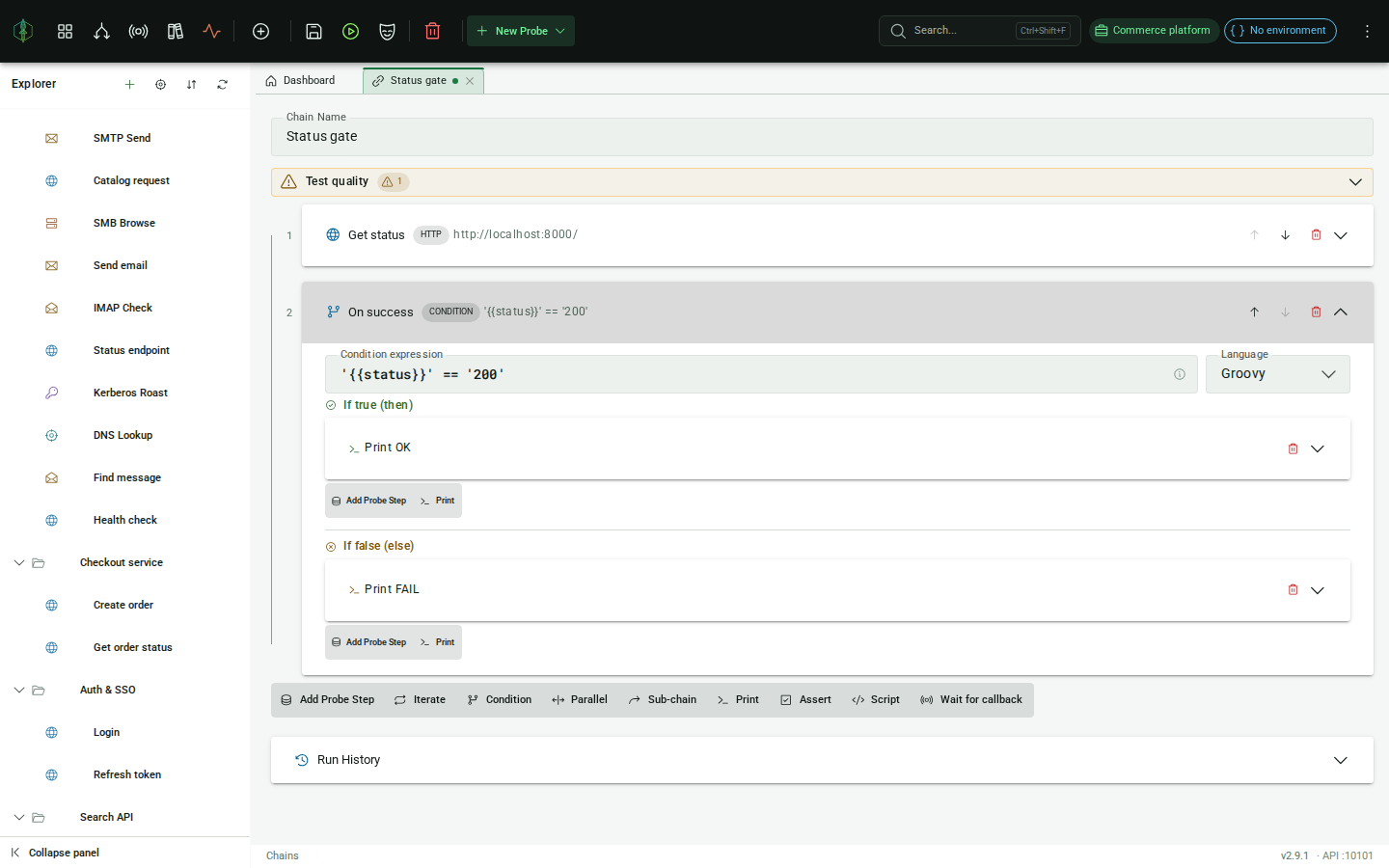
Section titled “CONDITION”CONDITION evaluates a boolean expression, in JavaScript or Groovy, and executes one of two child step lists depending on the result. New CONDITION steps start in JavaScript; the language is chosen per step. All {{variable}} placeholders in the expression are resolved before evaluation.
| Field | Description |
|---|---|
| Expression | An expression that evaluates to a boolean, e.g. {{status}} == '200' or {{count}}.toInteger() > 0 |
| Then branch | Steps to execute if the expression is true |
| Else branch | Steps to execute if the expression is false (can be empty) |
The branch taken is shown in the execution results. Variables produced by the executed branch are available to subsequent steps.
PARALLEL
Section titled “PARALLEL”PARALLEL executes all child steps simultaneously using a thread pool. Each branch receives a snapshot of the current variable context; after all branches complete their extracted variables are merged back (last-writer-wins on name collision).
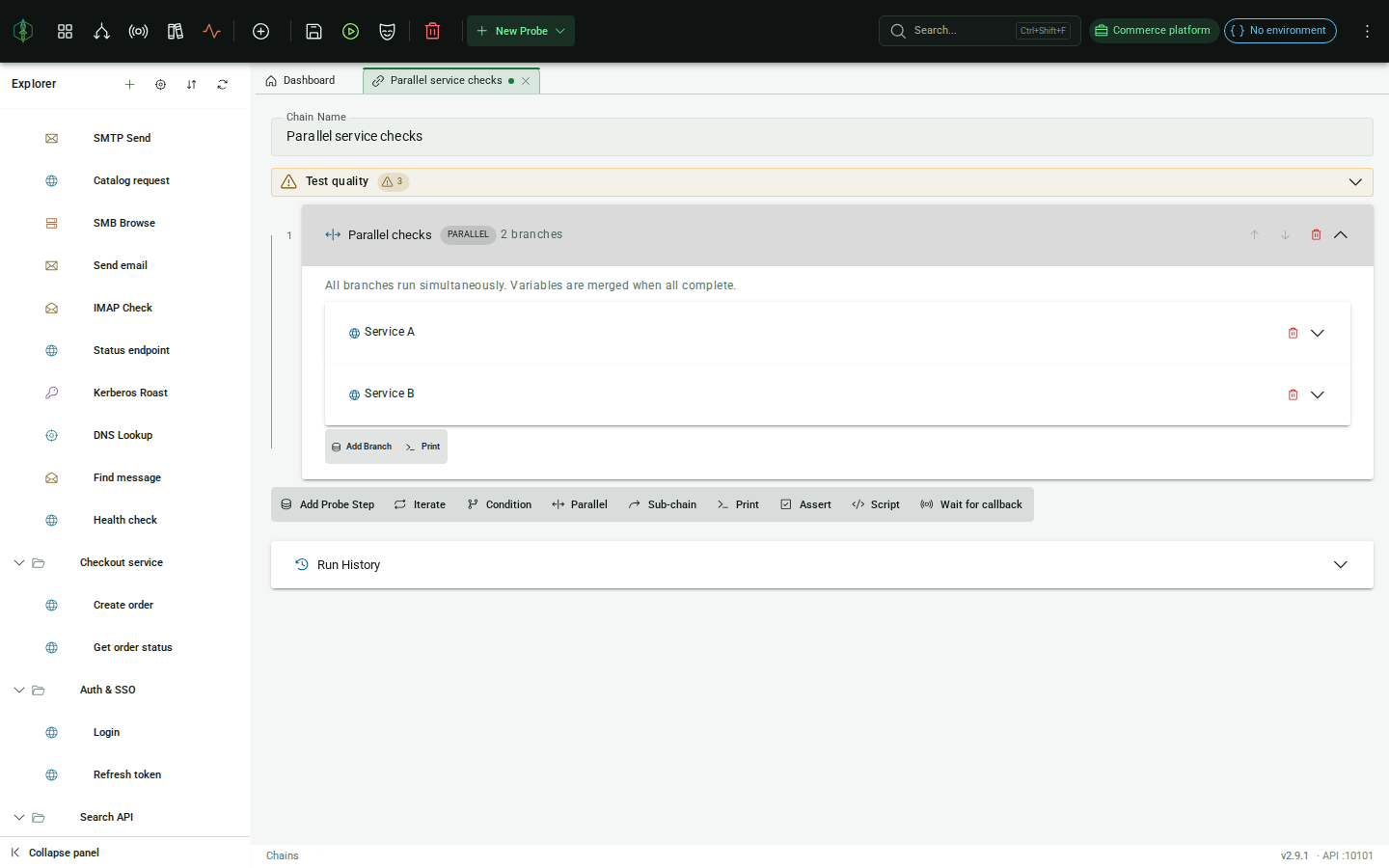
Add branches using Add Branch (opens the probe picker) or the Print button. Each branch is a single step, so use a CHAIN_REF or ITERATE inside the branch if you need multi-step logic.
CHAIN_REF
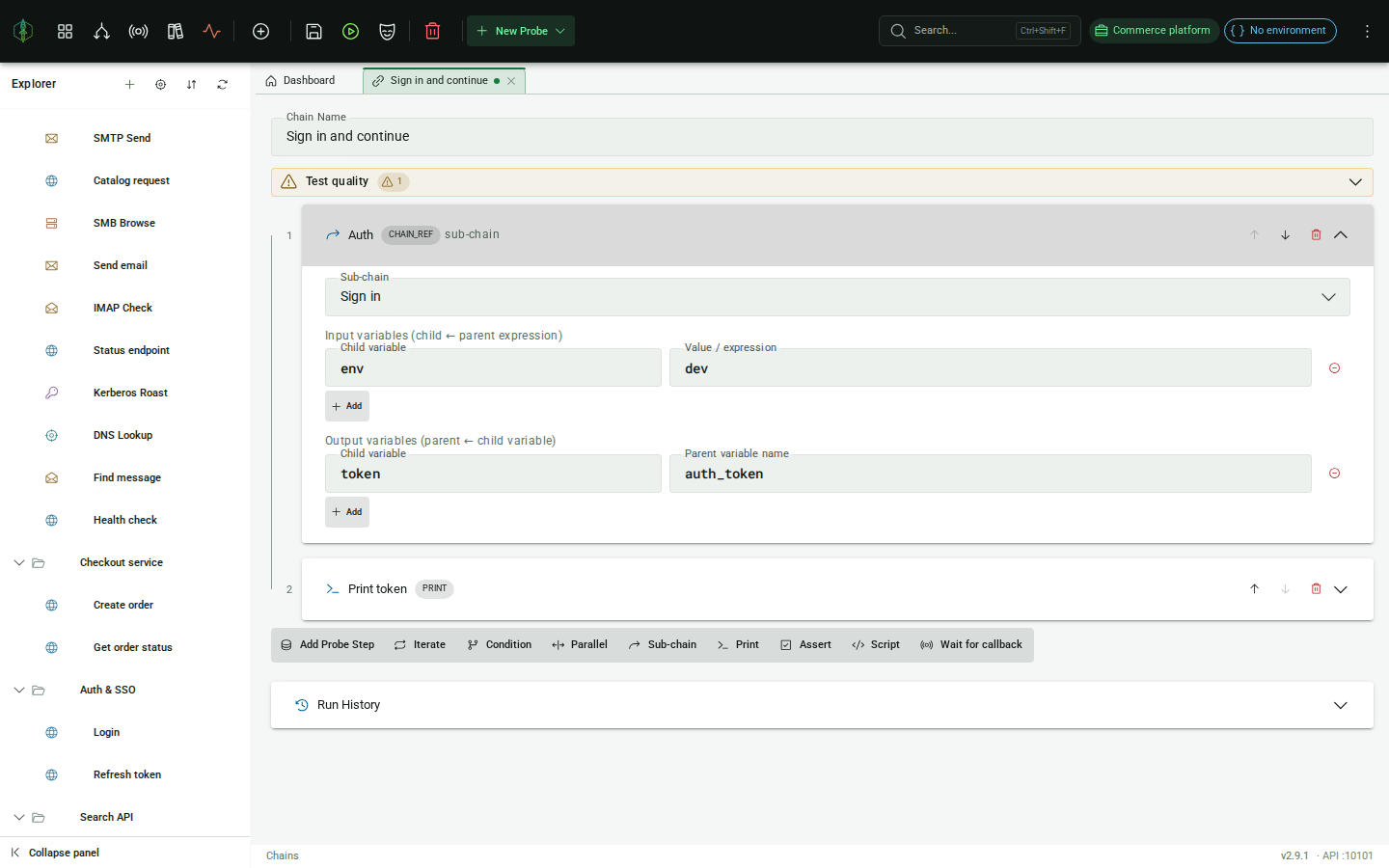
Section titled “CHAIN_REF”CHAIN_REF calls another chain as a sub-routine. Variable context does not flow automatically. You map values in and results out explicitly.
Input variables
Section titled “Input variables”Map variables from the parent context into the sub-chain. Each row is:
| Column | Description |
|---|---|
| Child variable | The variable name the sub-chain will see |
| Value / expression | A literal value or a {{parentVarName}} reference resolved from the parent context |
Output variables
Section titled “Output variables”Map variables from the sub-chain back to the parent context. Each row is:
| Column | Description |
|---|---|
| Child variable | The variable name produced by the sub-chain |
| Parent variable name | The variable name to assign in the parent context |
Example
Section titled “Example”A sub-chain that fetches an LDAP entry and extracts dn and mail:
Input vars:
| Child variable | Value |
|---|---|
filter | (uid={{username}}) |
Output vars:
| Child variable | Parent variable name |
|---|---|
dn | ldap_dn |
mail | user_email |
After the CHAIN_REF step, {{ldap_dn}} and {{user_email}} are available in the parent chain.
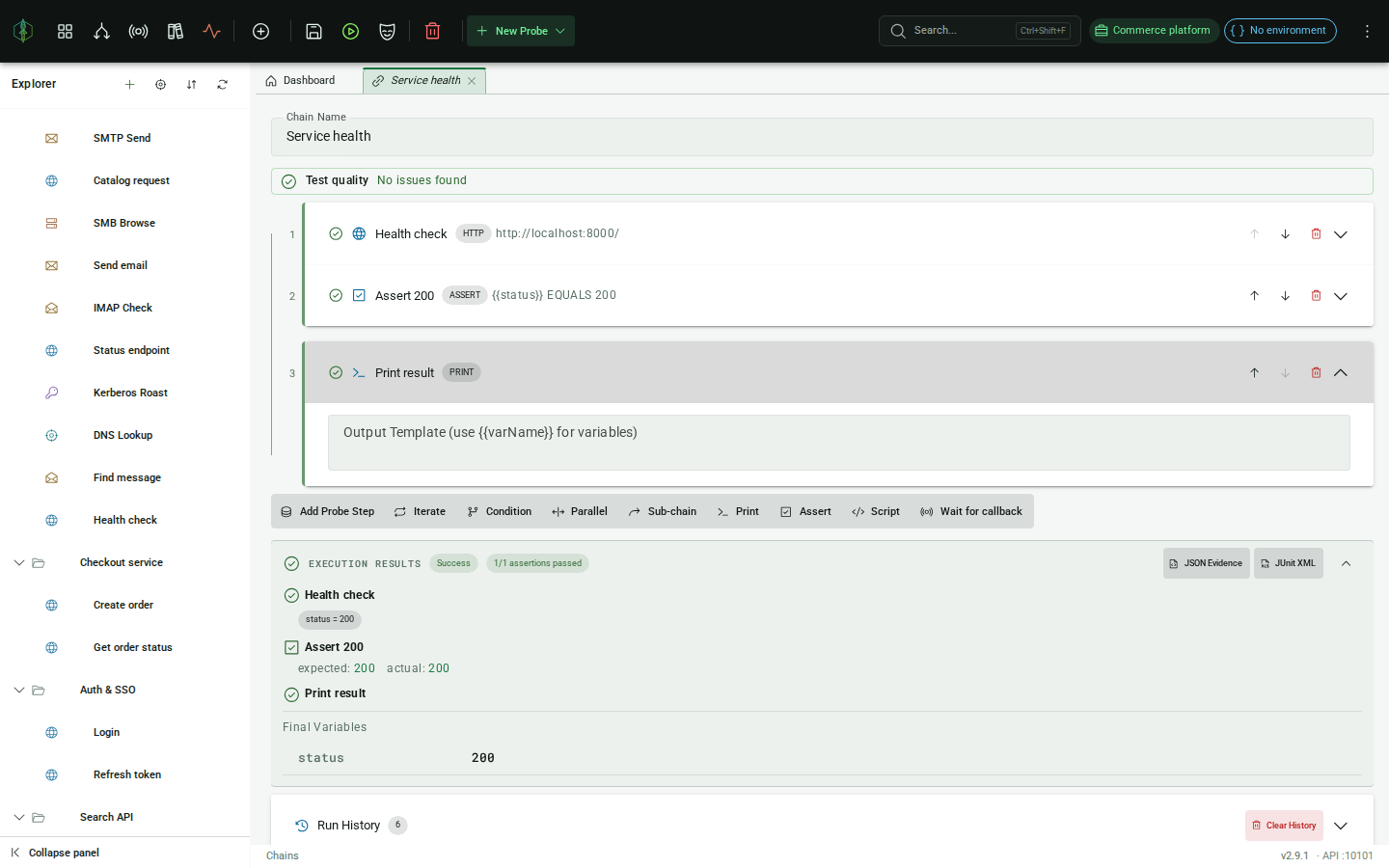
PRINT writes a line to the execution log. The template can contain any text mixed with {{variable}} references. Every variable resolved so far in the chain is available.
| Field | Description |
|---|---|
| Output template | Free-form text with {{variable}} placeholders, e.g. POST returned {{postId}}, title: {{postTitle}} |
PRINT always succeeds and produces no extracted variables of its own. It is mainly useful for debugging a chain’s variable state mid-execution.
SCRIPT
Section titled “SCRIPT”Runs a saved script as a step. Pick the script from the list of scripts in the active project.
The script sees every variable the chain has so far, and hands values back with vp.set. Those become chain variables, so a later step reads them as {{name}} like anything else. The step panel lists what the script exports, read out of its source, so you can see what it hands on before you run anything.
def result = vp.send("Orders", "Create order")vp.set("orderId", result.extract("HTTP_JSON_PATH", "$.id"))vp.check("order was created", result.isSuccess())A vp.check that fails fails the step and the chain, and its verdicts count toward the chain’s assertion total, so a chain whose only check lives in a script is still a tested chain.
Extra variables
Section titled “Extra variables”The Extra variables rows hand the script values under names of your choosing, on top of the chain’s own. The right hand side takes {{placeholders}} or a literal, resolved before the script starts.
Use them when the script should not have to know the chain’s variable names.
After a run
Section titled “After a run”Each SCRIPT step shows what the script exported, as name and value, next to the step in the run results. A failed check shows what it wanted and what it got.
Scripts require the Engineering tier or above. Building a chain that contains one is not gated; running it is.
ASSERT
Section titled “ASSERT”ASSERT checks that a variable’s value satisfies a condition. If the condition is false, the chain stops and the step is marked as failed.
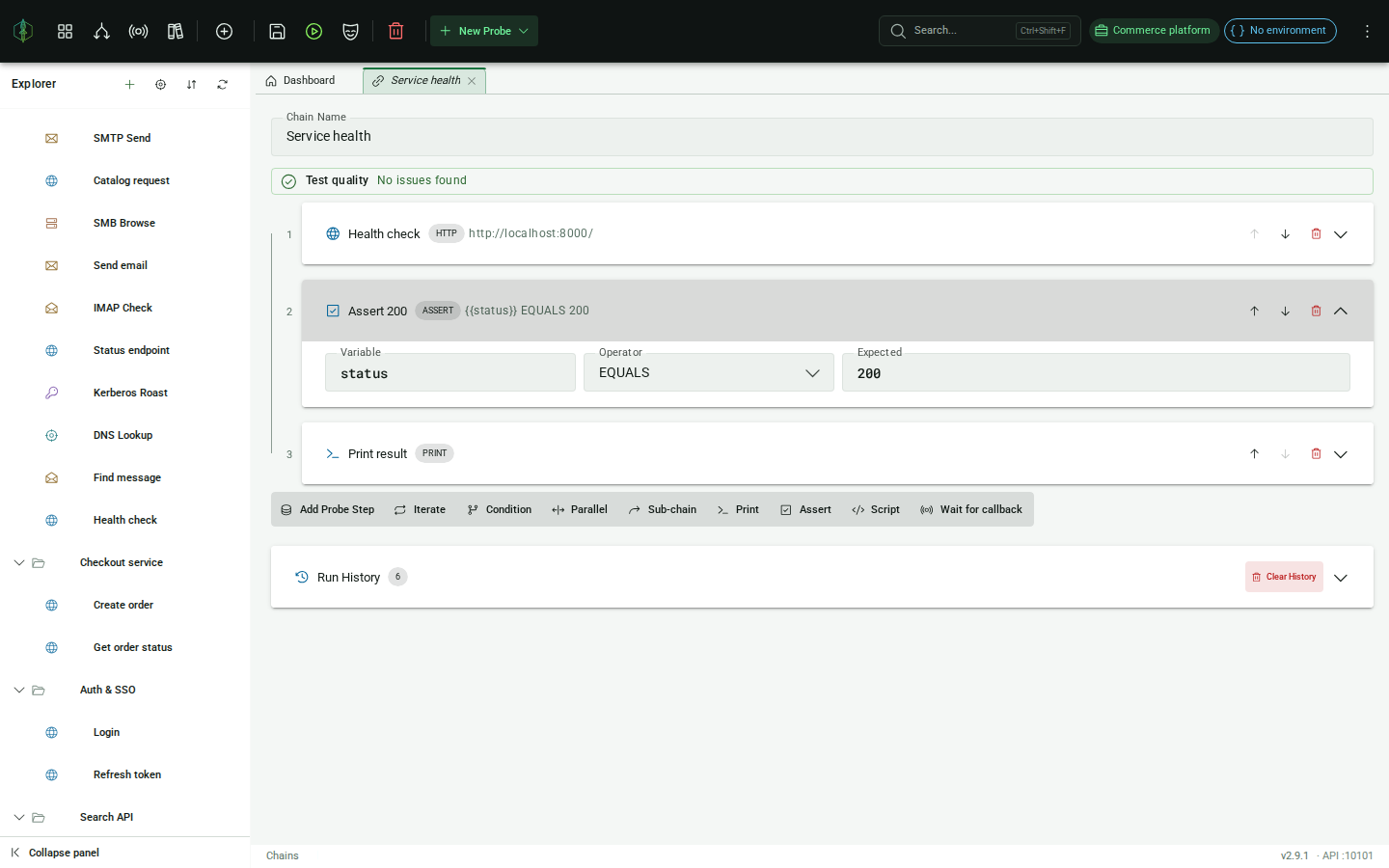
| Field | Description |
|---|---|
| Variable | Name of the variable to check (resolved from chain context) |
| Operator | Comparison operator |
| Expected | The value to compare against, supporting {{variable}} references |
Operators
Section titled “Operators”| Operator | Meaning |
|---|---|
EQUALS | Exact string match |
NOT_EQUALS | Not an exact string match |
CONTAINS | Expected is a substring of actual |
NOT_CONTAINS | Expected is not a substring of actual |
MATCHES | Actual matches the regex in Expected |
GT / LT | Numeric greater/less than |
GTE / LTE | Numeric greater/less than or equal |
Use ASSERT to enforce postconditions after a probe step, for example checking that a status code variable equals "200" before proceeding to the next step.