
Credentials & Auth
VirtuProbe keeps authentication in a credential store, not in per-probe fields. A credential is a reusable, named profile, a scheme plus its secrets, that probes, chain steps and scripts reference by id. Passwords, tokens and hashes are stored separately and never live on a probe or in its history.
This means you configure a credential once and reuse it everywhere, rotate a secret in one place and share or export a probe without leaking the secret it authenticates with.
Schemes
Section titled “Schemes”| Scheme | Notes |
|---|---|
| Basic | Username + password (Authorization: Basic) |
| Bearer | Static bearer token |
| API Key | Named key sent as a header, query parameter or cookie |
| Digest | RFC 7616 challenge-response |
| OAuth2 | Client Credentials, Password, Authorization Code (with PKCE using the S256 or plain method) and Device Code grants. VirtuProbe fetches the token, caches it and sends it as a bearer token |
| NTLM | Windows challenge-response with username + password |
| Pass-the-Hash (PTH) | NTLM using a 32-character hex NT hash, no cleartext password |
| SPNEGO / Kerberos | Authorization: Negotiate ticket obtained from a KDC for HTTP/<host> |
| AWS SigV4 | AWS request signing |
| Scripted | A JavaScript script computes the auth headers at send time |
Scope: global vs project
Section titled “Scope: global vs project”Every credential has a scope:
- This project: offered only inside the project you’re working in. New credentials default to this scope when a project is active.
- Global: offered everywhere.
A credential picker always shows the active project’s credentials plus all global ones.
Managing credentials
Section titled “Managing credentials”Open the Project Dashboard to manage project-scoped credentials (create, edit and delete them) and to pick the project’s default credential.
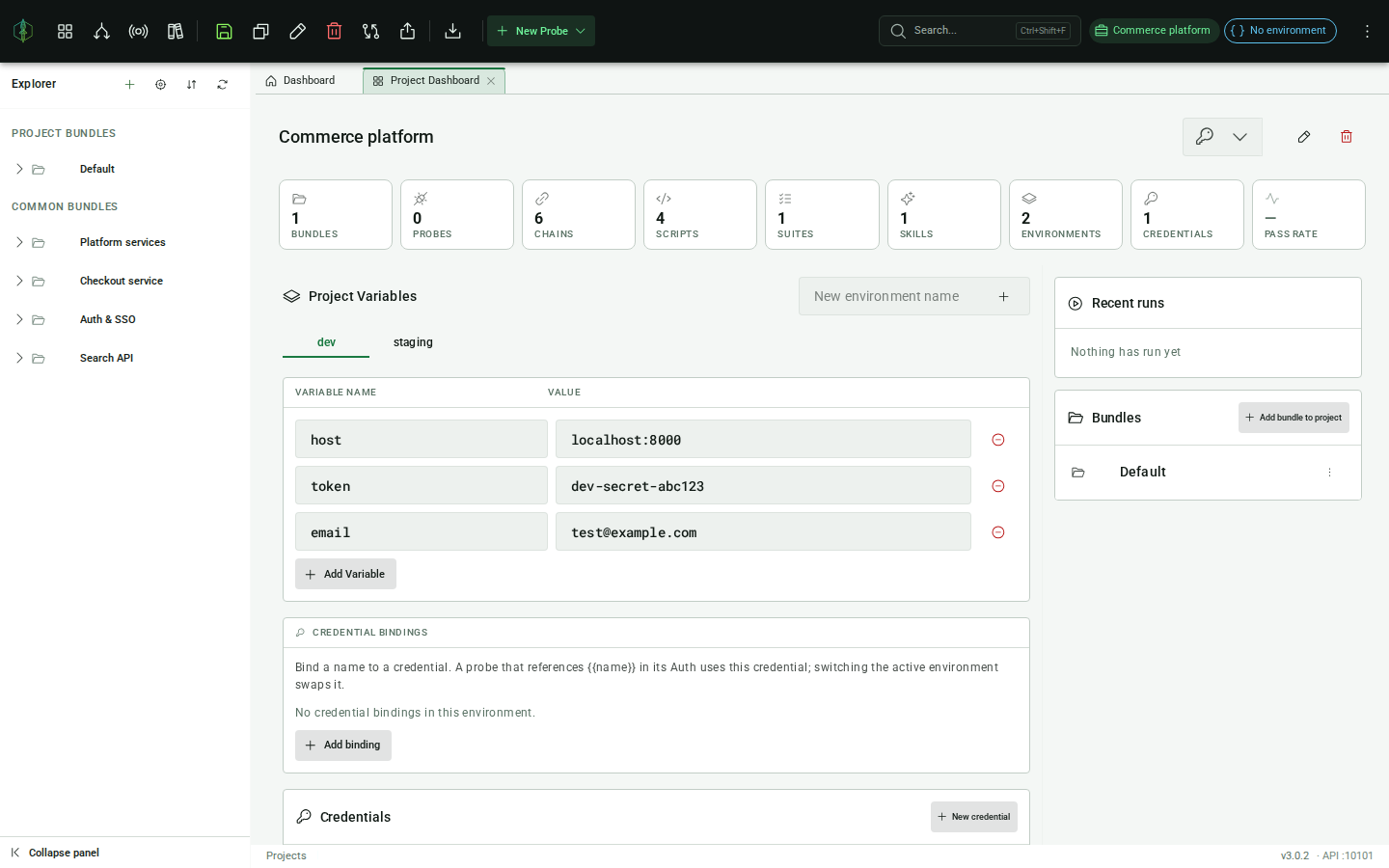
You can also create a credential inline from any HTTP probe via the Auth row’s New credential button. See HTTP authentication.
Resolution order (cascade)
Section titled “Resolution order (cascade)”A probe doesn’t have to carry its own credential. At send time the effective credential is resolved most-specific-first:
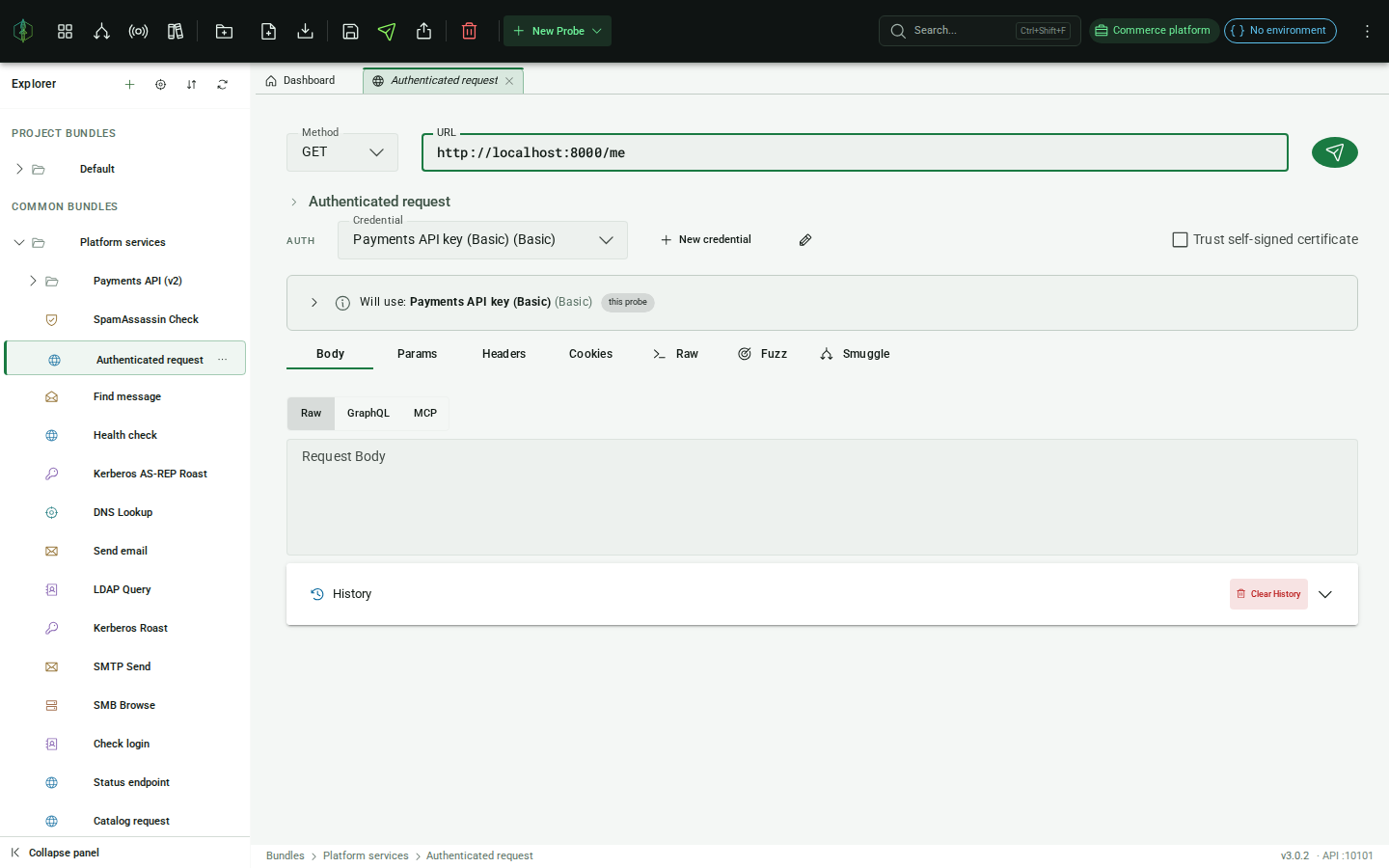
chain step override → probe credential → project defaultThe first non-empty link wins. So a probe with no credential of its own falls back to the project default, while a chain step can override both. The probe editor shows the resolved effective credential and where it came from, so there’s no guessing.
None (no authentication) in the HTTP credential picker counts as the probe credential, so it wins over the project default and the probe is sent unauthenticated on purpose. With the picker left empty, the probe uses the project default.
The same cascade applies to standalone sends, chains and scripts, so a script’s vp.send(...)
also falls back to the project default.
When the probe names its own account
Section titled “When the probe names its own account”The project default is skipped for a probe that names its own account, because a default chosen for the whole project would replace that account and the probe would run as somebody else:
- every SMB and Kerberos probe, since its login, or the account it targets, is set in the probe itself
- an FTP probe in Advanced mode that sends its own
USER - a Redis probe in Advanced mode that sends its own
AUTHor aHELLOwith anAUTHclause
An LDAP probe running Check login never gets the project default either, because the credential you choose is the login it checks. With no credential chosen the probe reports that there is nothing to check.
An FTP or Redis probe in Action mode has no login of its own, so it still uses the project default. An LDAP probe running Find entry uses it too, because its bind only opens the directory for the search. Whether a probe gets the project default is decided the same way for standalone sends, chains and scripts.
A credential you choose on the probe, or as a chain step override, still applies. On one of the FTP or Redis probes listed above, the chosen credential logs in first and the probe’s own commands run after it. The editor says so under the credential picker.
When the credential has been deleted
Section titled “When the credential has been deleted”When a probe, a chain step or the project default names a credential that has since been deleted, the probe is not sent. Sending it anyway would reach the target unauthenticated and return a response you would read as coming from the credential you chose, so the send stops with an error that names the missing credential instead. Choose another credential, or pick None in an HTTP probe to send without authentication.
Per-environment credentials
Section titled “Per-environment credentials”Any link in the cascade can point at an environment binding instead of a fixed credential. A binding is a name an environment maps to a credential, so switching the active environment swaps the credential a probe uses (the prod-vs-staging case) without editing the probe. The effective-credential summary shows an env binding source and the concrete credential it currently resolves to.
Seeing what will be used
Section titled “Seeing what will be used”Under the credential picker the probe editor shows a summary of the effective credential:
- its name and scheme
- a source chip (
this probe,project defaultorenv binding) - the non-secret config values (username, region, …)
- which secrets are set, shown masked (
••••• set)
Each secret has a reveal (eye) control that fetches and shows the stored value on demand, behind a confirmation. Reveal is a convenience for the local desktop app; the values are still stored apart from the probe (see below).
OAuth2 token status
Section titled “OAuth2 token status”For an OAuth2 credential the probe editor also shows the state of its access token: a chip that reads Token active with a relative expiry, Token expired or No token yet. An Authorization Code credential prompts you to Authorize with a one-time browser sign-in; Client Credentials and Password grants fetch a token on the first send. A Device Code credential gives you a short code and a link to open on another device, then waits for you to approve it there. The token is shown masked, with reveal and copy. The chip tells you whether the token will refresh automatically or needs re-authorizing. The token status is a read-only view: opening it never triggers a token fetch.
When the provider returns an OIDC id_token (ask for the openid scope), the token status
lists its claims and signing algorithm under an Unverified chip. VirtuProbe does not check the
signature, so the claims are the provider’s unverified statement about who signed in.
PKCE method
Section titled “PKCE method”An Authorization Code credential uses PKCE with the S256 method unless you switch it off. Pick plain next to the PKCE switch only for a provider that accepts nothing else, since plain sends the verifier itself as the challenge.
Overriding for a single run
Section titled “Overriding for a single run”Sometimes you want to try a different password or value just once without editing the shared credential. The effective-credential summary’s Override for this run section gives an editable field for every config and secret entry. Anything you type there applies to the next send only and is never saved to the credential or to the probe. Leave a field blank to use the stored value. The same idea applies to variables: the probe’s Variables panel shows an effective table (environment < inline < this-run) with a per-run override column.
Where secrets live
Section titled “Where secrets live”Secrets are written to the credential record only; the probe stores authCredentialId.
Probe history snapshots, JSON evidence exports and collection exports therefore never
contain secret material. They reference the credential by id. (The on-demand reveal above
returns a stored value to the editor only when you explicitly ask for it.)